AI Meeting Scheduling for Microsoft Teams: How to Cut Coordination Time by 90%
The problem is boring. The cost isn't.
Nobody lists "scheduling meetings" as a skill on their resume. And yet office workers spend close to half a workday every week doing exactly that. Checking calendars, sending messages, waiting for replies, adjusting, re-checking, following up.
For a single meeting with five people across two time zones, the typical process looks something like this:
- 5 to 12 emails, messages, and calls
- 2 to 9 calendar checks with manual time-zone math
- 10 to 30 micro-decisions spread across several days
- A cognitive load that never quite goes away
Human effort: 10 to 60 minutes per meeting.
Multiply that across an organization and you're looking at thousands of hours a year spent not in meetings, but simply trying to arrange them. Pure overhead.
What if scheduling just happened?
That's what Youkeeps does.
Youkeeps is an AI agent for Microsoft 365 that coordinates meetings across teams and time zones from inside Microsoft Teams and Copilot. No new apps, no new interfaces. You type a request in plain language, and the meeting gets handled.
Human effort: under 1 minute.
The key difference from other scheduling tools: Youkeeps doesn't imitate a person. It doesn't send messages back and forth on your behalf and call that automation. Instead, it looks at everyone's availability and either books the meeting directly or runs a quick vote to align the group. The back-and-forth doesn't get faster. It disappears.
Four scheduling jobs, one chat command
Meeting with colleagues? Youkeeps finds the best time in seconds by checking availability across all participants.
Packed calendars? When there's no obvious open slot, Youkeeps runs a quick poll. Each person gets a Teams message with an available time already pre-selected from their own calendar.
Cross-company meeting? It coordinates directly with every external participant, sending them a link to a simple voting page. No back-and-forth emails.
1:1 with someone new? Ask Youkeeps for your personal scheduling link. Share it, and the other person picks a time that works for both of you.
The messy real-life stuff
Scheduling tools tend to work great in demos and fall apart in practice. We built Youkeeps for the moments that actually cause headaches.
Tell it "I've got a force majeure, move everything this week" and it figures out the right action for each meeting on its own. For meetings you organize, it finds a new slot that works for everyone. For meetings with external guests, it sends a vote. For meetings where you're just an invitee, it notifies the organizer that you can't make it.
One command. Every meeting handled differently based on context.
What teams are seeing
Early results from companies using Youkeeps:
| Metric | Result |
|---|---|
| Fewer back-and-forth emails | 90% |
| Smoother teamwork, less coordination stress | 82% |
| Faster sales and recruiting cycles | 25 to 30% |
| Time to install and start | 60 seconds |
Built for enterprise, not bolted on
Youkeeps isn't a standalone app that needs a separate login, a browser tab, and an API integration project. It lives inside Microsoft Teams and Outlook, the tools your team already has open all day.
For IT teams, that matters:
- Built on Microsoft Graph API with direct, secure integration to calendars, Outlook, and Teams
- AAAA rating on SAST and DAST security reports
- Passed Microsoft Marketplace Security Verification, currently under active M365 Certification
- Hosted on Microsoft Azure with redundancy across EU and US data centers
- GDPR and CCPA compliant with minimal data retention. Personal data is automatically deleted after the meeting
- Available on Microsoft Marketplace so procurement and security teams can evaluate it through the channels they already trust
No infrastructure changes. No additional admin configuration. Works out of the box.
Getting started
It takes three steps:
- Watch the 60-second demo to see it in action
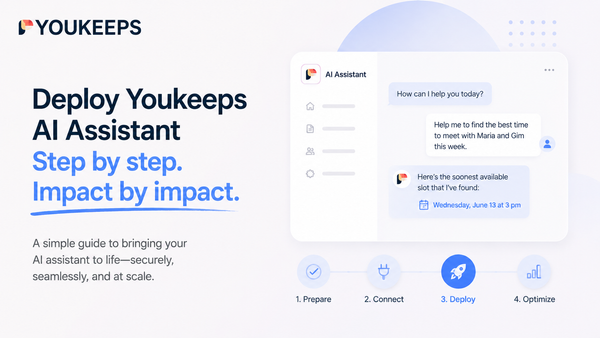
- Install from Microsoft Marketplace — takes about a minute
- Ask Youkeeps to set up your next meeting and see the difference
The first month is free. No credit card, no commitment.
Talk to us: +1 430 999 3539 | vo@youkeeps.com
About Youkeeps: AI scheduling agent for enterprise, integrated with Microsoft 365 and Copilot. Learn more →