How Youkeeps is reinventing scheduling with agentic AI
By Victoria Oros, Founder of Youkeeps
Suggested content type: Startup stories • Suggested topics: AI, Launching with Azure • Est. reading time: ~4 min
If you've ever tried to move a single meeting inside a busy company, you already know the problem we set out to solve. One reschedule is never really one reschedule. Because meetings depend on each other, moving one can set off a chain of dozens — sometimes hundreds — of messages. Those chains are where deadlines slip, deal cycles stretch, and time quietly disappears. The work itself isn't hard. It's just endless, manual, and almost impossible to keep on top of.
And it adds up to a real number. Office workers spend close to half a workday every week just scheduling and rescheduling, and the coordinating and rescheduling of recurring internal meetings alone costs employers an average of more than $5,000 per employee a year. That's money and energy spent not in meetings, but simply trying to arrange them — pure overhead, and exactly the kind of work nobody should be doing by hand.
I started Youkeeps because I believed that coordination should simply happen — in the background, in the tools people already live in, without anyone having to babysit it. This is the story of how we built that, and why doing it on Microsoft made all the difference.
What Youkeeps actually does
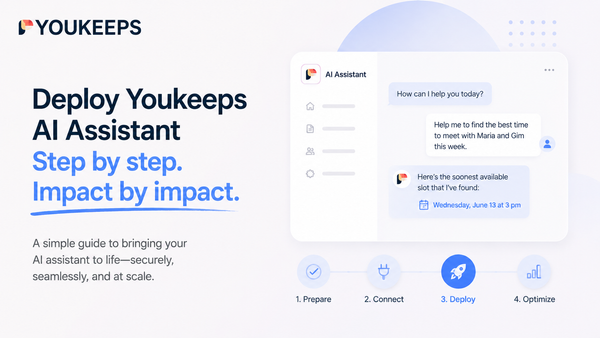
Youkeeps is an AI agent for meeting coordination, built for Microsoft 365 and Microsoft Copilot. Rather than open another app, you just tell your assistant what you need — in plain language, right inside Microsoft Teams or Microsoft Outlook. Youkeeps schedules, reschedules, and cancels any meeting, including group ones, and handles all of it for you.
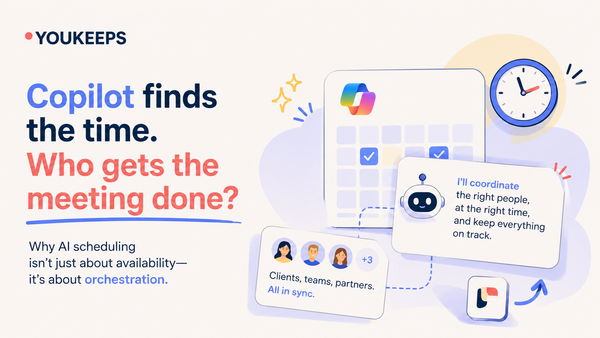
Here's the part we're most proud of. A lot of AI assistants just imitate a person — they fire off messages on your behalf and negotiate a time the same slow way a human would. We didn't want to automate the back-and-forth. We wanted to make it disappear. So Youkeeps understands what you're asking and, without any messaging chain, does one of two things:
- It books the meeting directly at a time that's open for everyone, based on free/busy across the company, or
- It runs a quick vote — reaching each person in a Teams direct message to confirm, with an available time already pre-selected from their own calendar, or emailing them a link to a simple voting page.
It also handles the messy, real-life moments. Tell it "I've got a force majeure — move everything this week," and it works out the right move for each meeting on its own: for the ones you organize, it finds a single slot that works for everyone; where there are external guests, it sends a vote; and where you're just an invitee, it lets the organizer know you can't make it. It behaves, honestly, like a really good personal assistant.
For the person using it, the whole thing comes down to this: create a meeting of any complexity with one message, and confirm any meeting with one tap.
Why we built on Microsoft
When you sell into the enterprise, trust isn't a nice-to-have — it's the entire game. And early on it became clear to us that there was really only one way to earn it at scale.
The Marketplace is the front door. Large companies hold every new tool to strict security and procurement standards, and getting through that door without Microsoft is close to impossible. If a product isn't in the marketplace and hasn't been verified by Microsoft, no one inside the company wants to take the risk of bringing it in. Being verified and listed on Microsoft Marketplace is what lets a buyer say yes — and most of our enterprise customers actually found us through the marketplace. The tiered Marketplace and Microsoft 365 certification levels have become a steady engine for us: each level we clear opens the door to a larger set of customers.
People adopt what they already know. Most companies are already full of vetted, paid-for software that only a handful of people ever open. The competition for an employee's screen time is real, and it's a genuine headache for the people who run the digital workplace. By living inside Teams — somewhere employees already feel at home — Youkeeps skips almost all of the onboarding friction that usually kills new tools.
The model had to be one enterprises would accept. Our agent runs on Azure OpenAI Service. For us this wasn't a preference, it was a requirement — any other LLM simply wouldn't have cleared the security and compliance bar our customers set before letting an agent touch their calendars.
And we've never had to build it alone. Through Microsoft's ISV Success program and the Technology Adoption Program (TAP), we get real, hands-on support — on architecture, on security, on how we store and work with data — plus continuous testing of the product for usability and security gaps. TAP in particular has let us work closely alongside Microsoft as the platform evolves. And because almost any Microsoft product can be integrated, with technical guidance when we need it, we can keep extending what the agent does without ever leaving the ecosystem our customers already trust.
What this means for the teams who use us
Meeting coordination is exactly the kind of high-volume, low-judgment work that AI agents should be taking off people's plates — but only if those agents can be trusted to act correctly and stay within the guardrails an enterprise expects. Building on Microsoft 365, Copilot, and Azure is what lets us offer:
- Coordination that happens inside Teams and Outlook, with nothing new to learn
- An agent that acts for you, instead of just suggesting what you could do
- A reimagined process that books or runs a vote on its own, rather than imitating a person in an endless thread
- A trusted, familiar way to buy and deploy, through Microsoft Marketplace and Microsoft 365 certification
- A reasoning layer on Azure OpenAI that meets enterprise security and compliance expectations
Where we're going next
The bigger problem we're chasing is cascading reschedules — those moments when one moved meeting drags a dozen dependent ones with it and the whole thing spirals. We're building meeting prioritization to tame that, but in a way that always keeps the final decision with the person, helping them line up chains of meetings ahead of time instead of scrambling after the fact.
Where we really want to get to is one command. We're working toward a future where scheduling or rescheduling an entire chain takes a single command per participant — meetings that fall into place almost instantly, no matter the time slots, the availability, the priorities, the number of people, or the locations involved. That same command would also book the right-sized room for the group, automatically request visitor passes where they're needed, and — if the meeting never happens — quietly undo all of it, releasing the room and cancelling the passes.
That's the future we're building toward: coordination that simply takes care of itself, so people get their time back for the work that actually matters.
We're proud to build Youkeeps as part of Microsoft for Startups, alongside a growing community of companies using Azure and the Microsoft platform to rethink how work gets done. If you're a founder building AI agents or enterprise automation, I can't recommend it enough.
Get ready to build fast, scale smart, and sell more with Microsoft for Startups.